Fee-Free Banking
A high-powered checking account with fee-free ways to deposit, spend, and get your money, as well as fee-free overdraft, fee-free in-network ATM withdrawals, fee-free in-network cash deposits and more.
Optional services and products may have fees or charges, such as outbound instant transfers, out-of-network transactions, and credit products. Learn more here.


Explore products
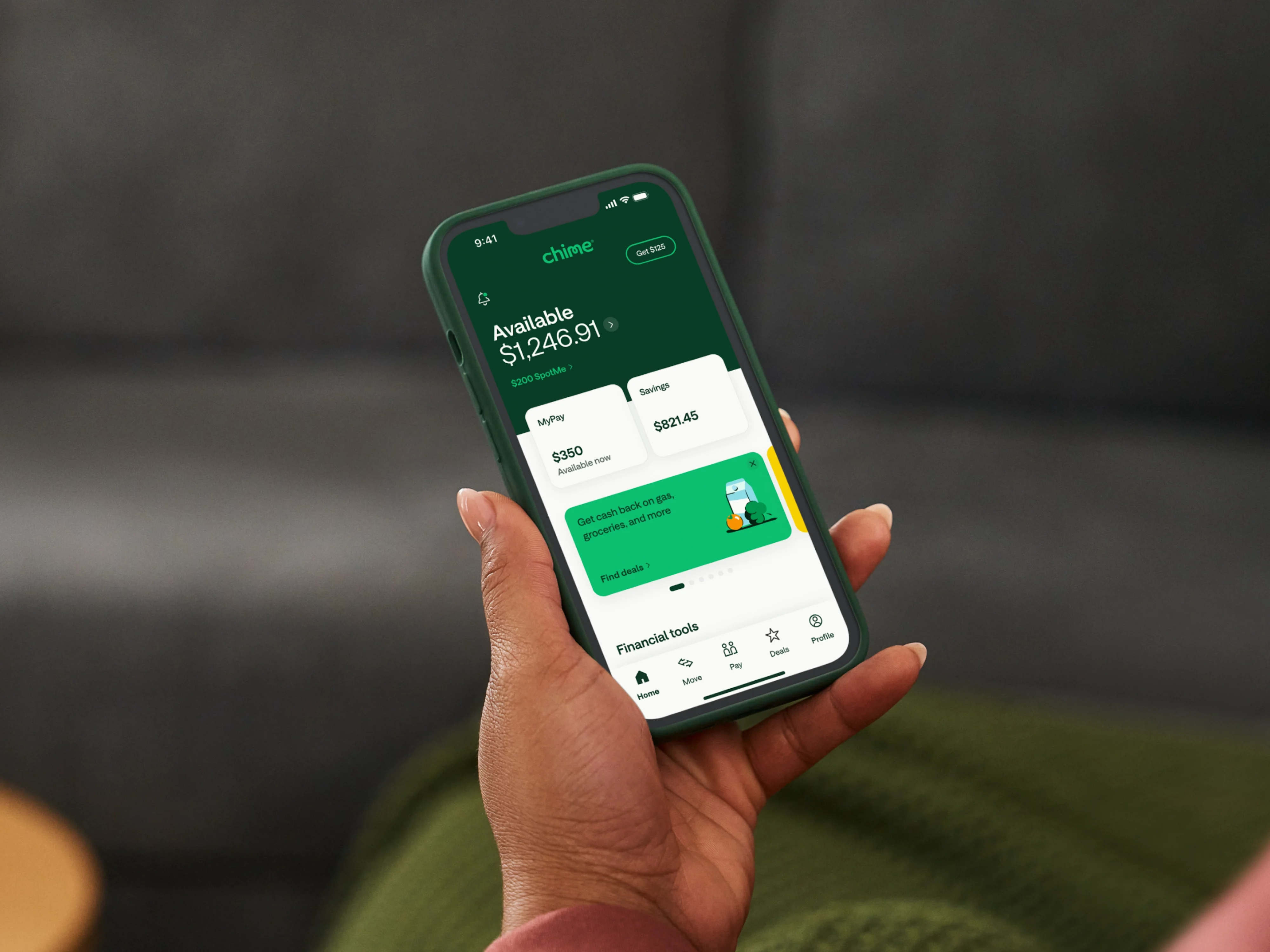
Chime Checking Account
Checking built for you.
No monthly fees ever, and simple 2-minute app setup.


SpotMe
Overdraft with no fees.
SpotMe® lets you overdraft fee-free up to $2001 on credit, debit and on ATM transactions.2

Fee-Free ATMs2
47,000+ ATMs.
Access in-network ATMs anywhere in the country. Find the closest one in your app.

Pay Anyone
Pay Anyone, instantly.3
Send money to anyone, regardless of bank, and cash out instantly for free.

Fee-Free Cash Deposits4
Deposit cash fee-free.
Deposit cash at Walmart, CVS, and more. And for free at Walgreens.
How to open a Chime Checking Account.
Why members love us.
Not only is Chime The #1 Most Loved Banking App®, but we’ve made a real and lasting impact on our members’ lives. Don’t take our word for it—we’ll let the numbers speak for themselves.
4 out of 5 Chime members
Number of people who say that we've helped improve their overall financial situation. Just over half of traditional bank customers say the same6
4 out of 5 Chime members
4 out of 5 Chime members
Number of people who say that we've helped improve their overall financial situation. Just over half of traditional bank customers say the same6
More ATMs than the top 3 national banks combined7
Over 47,000 fee-free ATMs nationwide2
More ATMs than the top 3 national banks combined7
More ATMs than the top 3 national banks combined7
Over 47,000 fee-free ATMs nationwide2
$32 billion in fee-free overdraft covered
Chime’s SpotMe has covered millions of members
$32 billion in fee-free overdraft covered
$32 billion in fee-free overdraft covered
Chime’s SpotMe has covered millions of members
The #1 Most Loved Banking App®
Chime is recommended by more of its users than that of any other financial brands8
The #1 Most Loved Banking App®
The #1 Most Loved Banking App®
Chime is recommended by more of its users than that of any other financial brands8
Resources



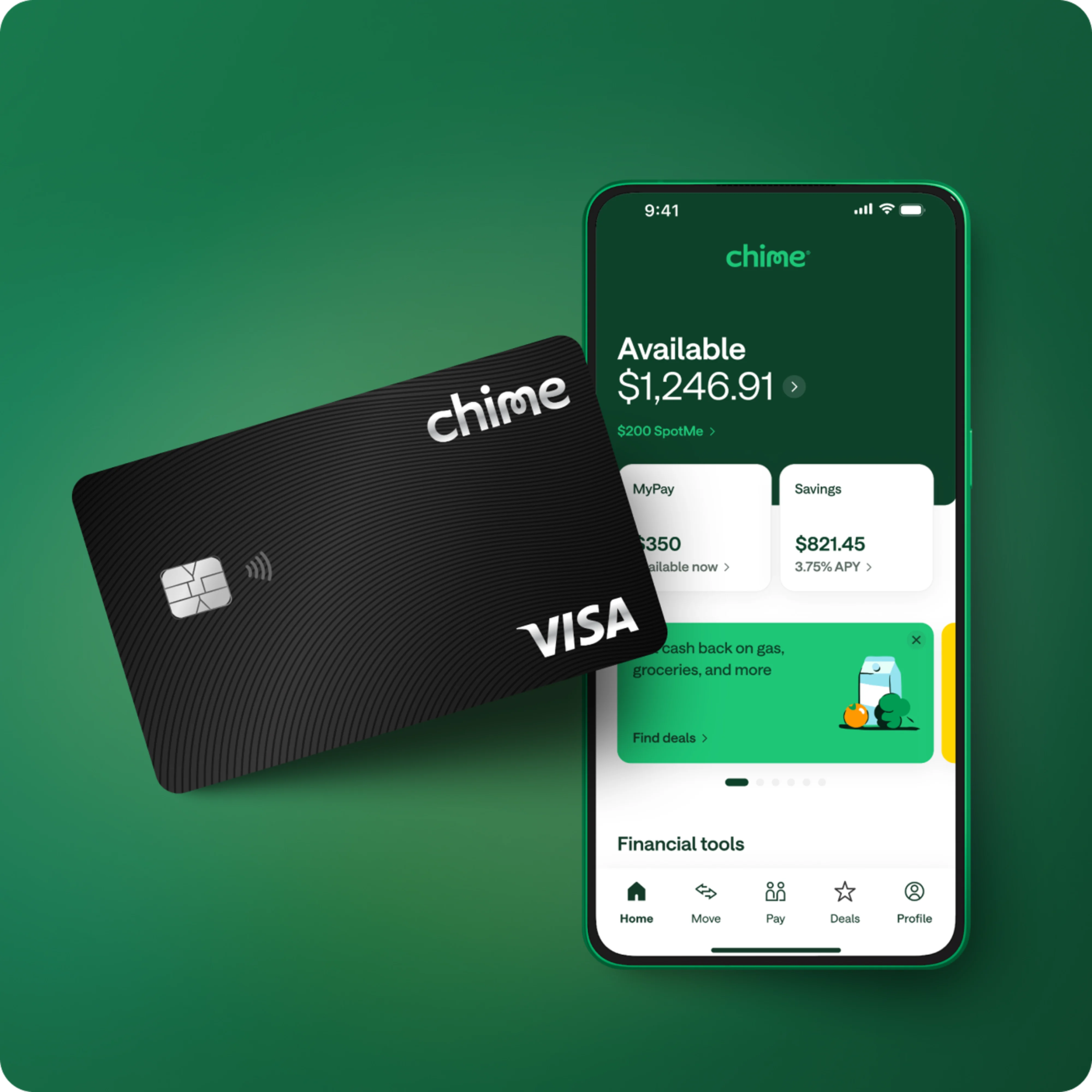
Unlock 1.5% cash back with Chime Card™ when you direct deposit.
Spend smarter every day when you bank fee-free through Chime— get cash back9, safer credit building10, high-yield savings, payday when you say, and more.
FAQs
What type of cards does Chime offer?
When you open a Chime Checking Account you get a Chime Visa® Debit Card that can be used at any merchant that accepts Visa. Your Chime Debit Card can also be used with mobile-payment providers such as Apple Pay®, Google Pay® or Samsung Pay®. Other features our members love about our Chime Visa® Debit Card are instant transaction notifications anytime your card is swiped, the ability to instantly block your card and order a replacement Debit Card all from within the Chime mobile app.
The secured Chime Visa® Credit Card is our fee-free cash back secured credit card that helps you build your credit history, get unlimited 1.5% cash back on rotating categories when you direct deposit, and unlock the best of Chime’s fee-free banking. Unlike traditional credit cards, the Chime Card helps you build credit with no annual fees and no interest.11 There’s also no credit check to apply. The money you move to your Chime Card is how much you can spend with the card12. Unlike other secured credit cards, that money can be used to pay off your monthly balances. Since Chime Card has a pre-set limit of $250,000, and does not report utilization, you can use this card for everyday purchases and it won’t contribute to a high-utilization record on your credit history. Learn more about how Chime Card works.
How do you open a bank account online through Chime?
Apply in minutes to start online banking through Chime. The process is straightforward as long as you have your Social Security number, email address, and a valid home address. After Chime reviews and confirms your information, you’re in! Note: All members must be at least 18 years of age, with a valid social security number and a resident of the U.S.
Chime offers an online bank account and a mobile banking app. You can download the app for free from the Google Play Store or Apple App Store. You can connect your existing bank account to transfer funds or set up direct deposit. You can also log in to online banking at chime.com when you need it.
Once enrollment is completed, you can request a physical Visa® debit card in the mail to the address you provided. Your new debit card typically arrives in 7-10 business days.
Read our blog for more information on how to open your online bank account through Chime, manage your money with our mobile app, and take advantage of our user-friendly features.
Can I open an online bank account through Chime without a deposit?
Applying for a Chime online Checking Account is completely free. We don’t require an opening deposit to enroll, and we don’t charge you a fee if you open an account without a deposit.
Does Chime require a credit check to open a bank account online?
Chime does not require a credit check to open an online bank account. We provide services that are inclusive of all Americans. This includes those who struggle with bad credit history but are still looking for checking or savings accounts they can open and use entirely online with no opening deposit.
What banks connect with Chime?
Chime is a financial technology company that offers banking services through two banking partners: The Bancorp Bank, N.A. and Stride Bank, N.A., Members FDIC. Because Chime partners with these banks, any deposits in your Chime account are FDIC-insured through The Bancorp Bank, N.A., or Stride Bank, N.A.13
How do I deposit money into my Chime account online?
When you sign up for Chime, you can easily move money into your account online. Just link an external bank account to set up a transfer. To continue to get money in your Chime account, set up direct deposit from your employer or payroll provider.
You can also deposit cash fee-free4 at any of the 7,900+ Walgreens locations around the country – or at 85,000+ retailer locations, including Walmart, CVS, and 7-Eleven, for a fee. The retailer that receives your cash will be responsible to transfer the funds for deposit into your Chime Checking Account.
Still have questions? Read our full guide on how to move money into Chime.
What is the Chime mobile banking app?
The Chime app offers everything you’d want out of a traditional banking experience but in one, easy-to-use mobile app that you can access wherever you are. Use the Chime app to check your account balances, complete a mobile check deposit,14 send money to friends,3 and transfer funds between your Chime Checking and Chime Savings Accounts. You can even transfer money to and from an external bank account, integrate your Chime debit card with your mobile wallet, and find nearby ATMs for easy cash withdrawals.
Find out why more than 1,000,000 users gave the Chime app a five-star review on the Google Play® and Apple App Store® when you open a Chime account.
Where can I find a fee-free ATM for Chime?
There are tens of thousands of in-network fee-free ATMs2 across the country. Just open your Chime mobile app, tap 'Move', and select 'Find an ATM' to find a fee-free ATM near you.
Where can I go to add money to my Chime debit card?
You can add money to your Chime Checking Account by making a fee-free cash deposit4 at any Walgreens location nationwide. And it’s not just Walgreens – for a fee, you can deposit cash into your Chime account at more than 85,000+ retailers across the country.
You can also fund your debit card with direct deposit, mobile check deposit,14 instant transfers,12 and bank transfers, all in the mobile app.
Is this really a checking account with no fees?
It is free to apply for a Chime Checking Account. However, certain minimal fees, like out-of-network ATM fees2 exist. Chime has no minimum balance, monthly fees, or overdraft fees. We don’t believe in profiting from our members’ misfortune. We want to keep everything out in the open so you know exactly what fees we may charge to your online checking account, which are listed below.
All fee amounts will be withdrawn from your Chime Checking Account. They will be assessed as long as there is a remaining balance in your Chime Checking Account, except where prohibited by law.
Any time your remaining balance is less than the fee amount being assessed, the balance of your Chime Checking Account will be applied to the fee amount. You can also find this fee schedule in the Bancorp Deposit Account Agreement and Stride Account Agreement.
Fee Description | Fee Amount and Frequency |
|---|---|
Cash Advance Transaction Fee: Over the counter (“OTC”) Cash Withdrawals* | $2.50 (per withdrawal) |
Cash Advance Transaction Fee: Out of network ATM Withdrawal* | $2.50 (per withdrawal) |
Instant Transfer of Funds Fee | 1.75% of the total amount of funds to be transferred for each ITFO Service transaction. |
*We do not charge a fee for transactions at Allpoint® ATMs, at Visa® Plus Alliance ATMs that are participating in the Allpoint® network or at MoneyPass® ATMs that are located in 7-Eleven, Inc. locations. All other ATM transactions will be charged a fee. In addition to any fee that we charge, the ATM operator may charge you a fee for any transaction or balance inquiry made at an ATM that is not an Allpoint® ATM, Visa® Plus Alliance ATM or at a MoneyPass ATM that is not inside a 7-Eleven location. This ATM fee amount will be charged to your Checking Account.
Will I ever be charged an overdraft fee?
No. If you do not have sufficient funds in your Chime® Checking Account or have reached your SpotMe1 limit (if enrolled), then your Chime Visa® Debit Card will be declined. There is no fee for declining transactions or for utilizing SpotMe®.
How do I add money to my Chime Account?
There are three ways to setup Direct Deposit from the Chime App.
You can setup direct deposit automatically by finding your employer in the app.
You can set up direct deposit by providing your Chime routing and account number to your employer or payroll provider.
You can also send your employer a pre-completed form that you can get from the Chime app.
To get started, tap ‘Move’, select ‘Set up direct deposit’ and follow the steps.
There are several other ways to add money to your account.
If you use payment apps, you can add your Chime debit card to transfer money into your Chime account. Keep in mind, they may charge a fee.
You can initiate an instant debit transfer by linking your debit card from another bank.
You can also deposit money for free at thousands of Walgreens locations, and at over 85,000+ retail locations like Walmart, CVS, and 7-Eleven for a fee.
You can add money to your account by completing a Mobile Check Deposit through the app.
Another way to add money to your account is with an ACH transfer. An ACH transfer is a transfer money from a bank or credit union to your Chime account.
Lastly, you can add money to your account through Pay Anyone, where you can receive and request money from other Chime members.
Are Chime Checking Account Deposits FDIC insured?
Deposits into the Chime Checking Accounts are insured up to the standard maximum deposit insurance amount of up to $250,000 through our partner banks, Stride Bank, N.A. or The Bancorp Bank, N.A., Members FDIC.13 Chime itself is not FDIC-insured; The Bancorp Bank, N.A. and Stride Bank, N.A. are the FDIC-insured members. Deposit insurance covers the failure of an insured bank. Certain conditions must be satisfied for pass-through deposit insurance coverage to apply.
Is Chime a real bank?
Chime is not a bank. Chime is a financial technology company that offers banking services provided by The Bancorp Bank, N.A. or Stride Bank, N.A.; Members FDIC. Chime members can have a Checking Account with an optional Savings Account, and can grow their credit history by applying for a secured Chime Visa® Credit Card – all while enjoying the benefits of online banking and mobile banking. Eligibility requirements apply for Chime Card. To apply for a Chime Card, you must also open a Chime Checking Account.
Is Chime a real bank or prepaid card?
Chime is a financial technology company, not a bank. Banking services are provided by The Bancorp Bank, N.A. or Stride Bank, N.A.; Members FDIC. Chime is also not a prepaid card. Through its bank partners, Chime offers a full-service Checking Account with a Chime Visa® Debit Card for spending and using at 47,000+fee-free in-network ATMs.2 OON ATM fees apply and over the counter fees may apply. See Chime.com for more details.
How do you pay friends and family with Chime?
To use Pay Anyone3 in the Chime app to send money:
Log in to your Chime mobile app.
Select 'Pay' at the bottom of the home screen" or "Tap 'Pay" at the bottom of the home screen.
Search for your friend’s name or $ChimeSign, or enter the email or phone number of someone who isn’t on Chime.
Enter the amount to send to the recipient and the reason that you’re sending the money.
Confirm the amount and the recipient.
Choose Pay now to send the money.
Do I need other payment apps if I use Chime?
No! You can send money to anyone, whether they’re on Chime or not, all within the Chime app without paying a fee. With Chime, you don’t have to keep juggling 5 different P2P apps like Cash App, Venmo, or Zelle.
What is Chime’s SpotMe?
It’s pretty simple, really: We think overdraft fees are the pits, so we decided to get rid of them. SpotMe® is a totally free service for eligible Chime members who overdraft their Chime Account and is now available for members when they use their secured Chime Visa® Credit Card.
Once you’re eligible, enroll in SpotMe (it’s fee-free!), and we’ve got your back when you overdraft your account by up to $200.1
